
Client visits & forms
Every visit. The details that matter.
Collect client visit notes, photos and custom form responses from your field team.
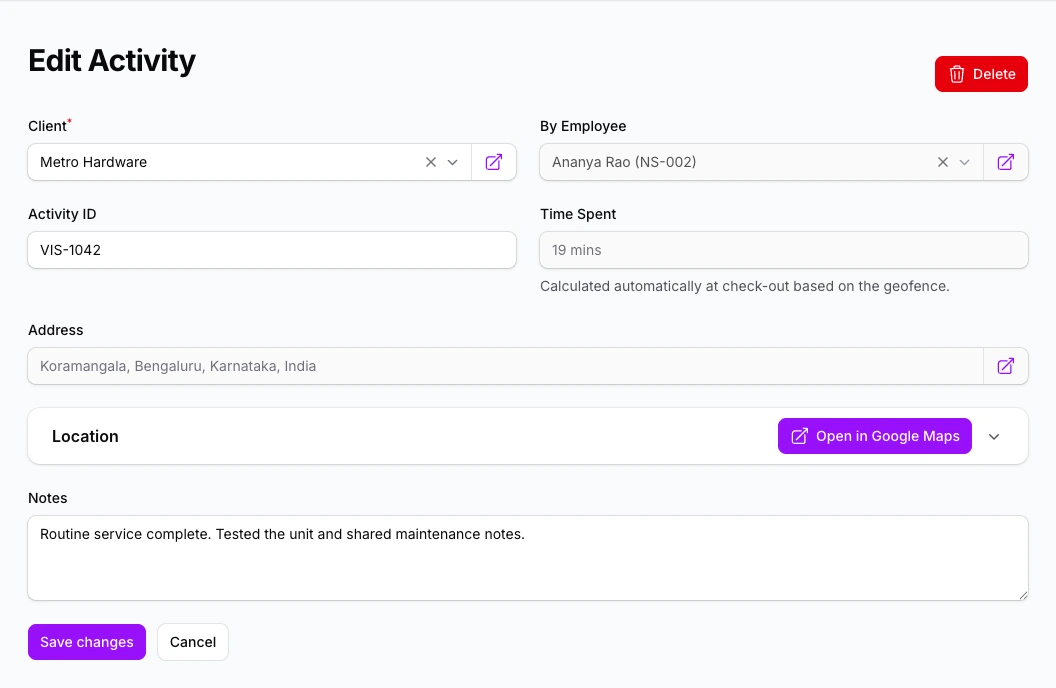
Visit records and forms
Visit details in one place
Keep the client, location, time and activity details together.
Forms built around your work
Collect notes, numbers, selections, dates and photos using configurable activity forms.
Review work with context
Use the visit record and timeline to understand what happened on site.
Every visit, with the details you need.
Review what happened at the client site and find the record without chasing an update.
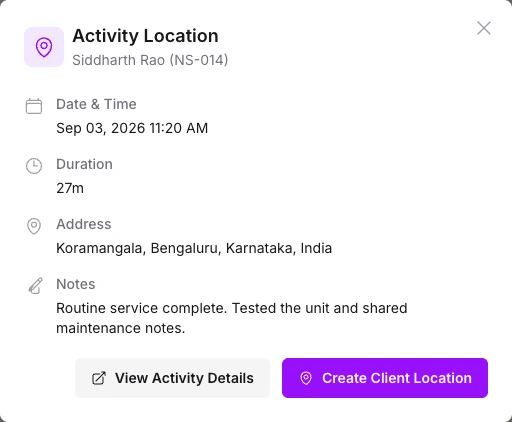
Open the details behind a map update.
Select a visit to see who was there, when it happened and what was recorded.
- Read the visit notes
- Check the date, duration and address
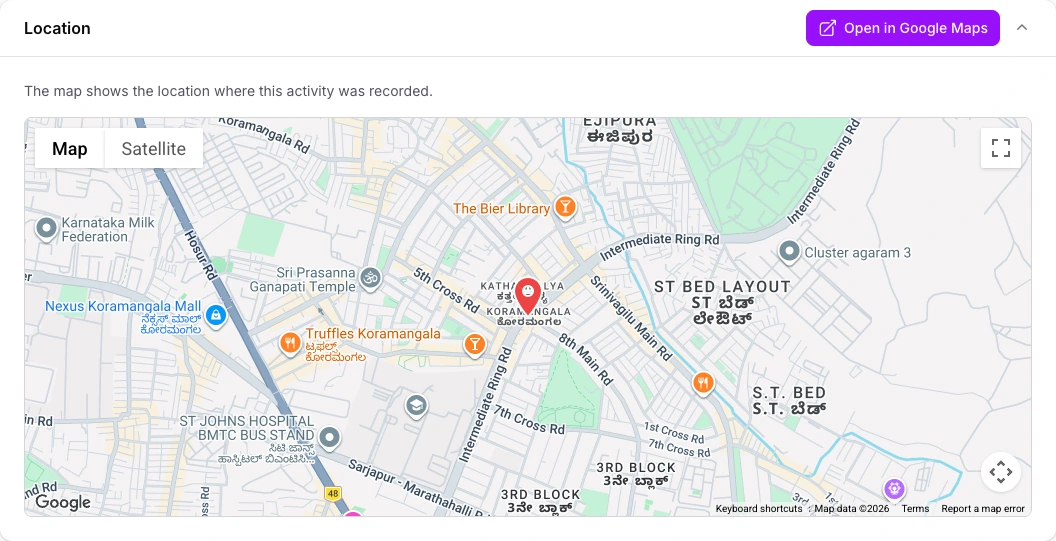
See where the visit was recorded.
Open the activity's location on the map when a client update needs more context.
- View the recorded location
- Open the same place in Google Maps
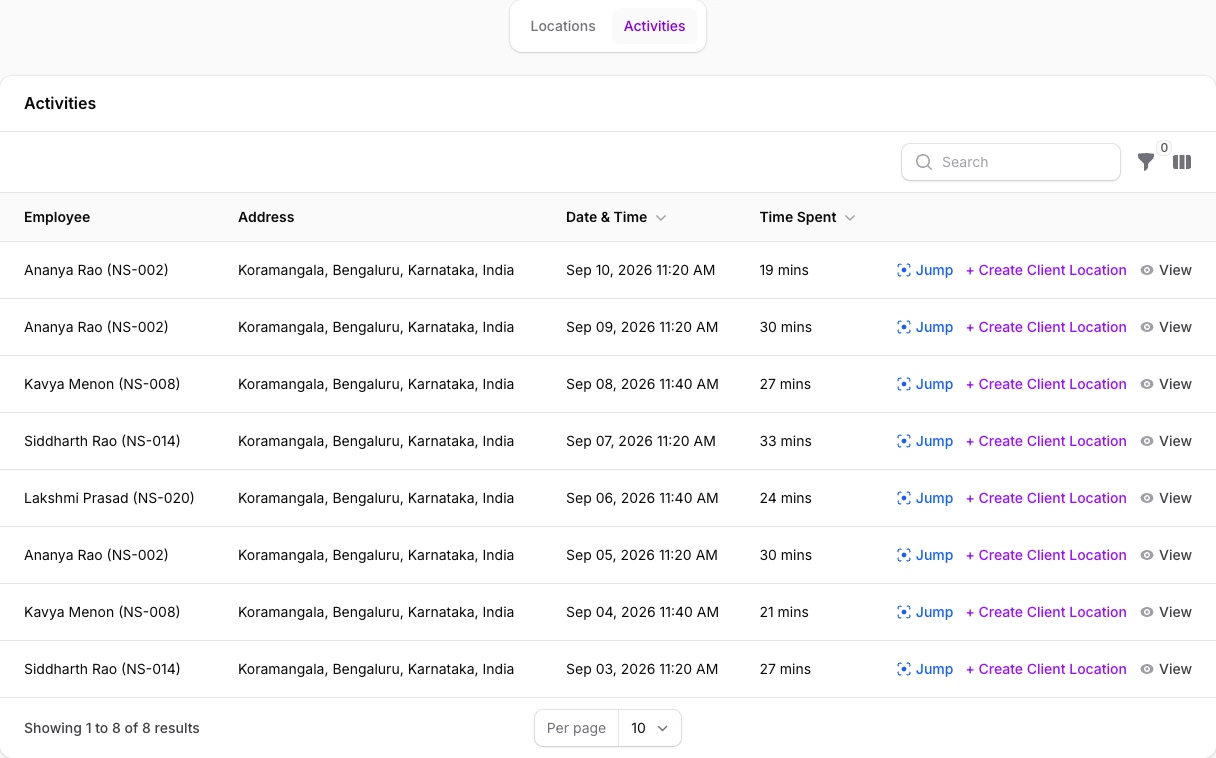
Find earlier visits to the same client.
Review a client's activity history across employees without searching through separate updates.
- Compare dates and time spent
- Open an individual visit from the list
What to capture in a field visit report
A useful client visit report tells a manager who visited, which client they met, when the visit happened and what needs to happen next. It should be short enough for an employee to complete between visits and clear enough to review without another phone call.
Keep the required fields useful
Start with the client, purpose of the visit, work completed and next action. Add photos, quantities or other custom fields only when someone will use them. NexaSync activity forms support text, numbers, selections, dates, checkboxes and images.
Separate the visit from the working day
Checking in for attendance does not explain what happened at a client site. Use the visit record for the client update and attendance for workday timing. Review the recorded location and duration when a visit needs clarification.
Review previous visits before following up
Client history helps managers find earlier updates across employees. Read the earlier notes before assigning a follow-up, so the next person does not ask the customer to repeat the same information.
A practical example
For an equipment service visit, a compact form could include “issue reported”, “work completed”, “photo” and “follow-up required”.
If the visit involves travel expenses, connect the review with conveyance claims. See Free versus Pro for client-visit and custom-field availability.
A few practical questions.
Can I choose what employees capture during a visit?
Yes. Configurable activity forms support text, numbers, selections, dates, checkboxes and images. You can mark relevant fields as required.
Can I review where a client visit took place?
The visit record and timeline include location and timing details. Location restrictions can be configured for visits that must start at a client site.
Can employees attach photos?
Yes. Employees can add photos to activity records and image fields in the configured form.
Can our sales team use its own client visit form?
Yes. Activity forms support text, numbers, selections, dates, checkboxes and images. Use these fields to collect the visit notes, quantities and photos your managers need to review.
What happens after an employee submits a visit?
Managers can review the client and task details with the submitted notes, photos and form responses. Use that record to decide what needs follow-up.
See a client visit in NexaSync.
Bring the form your field employees fill in today.